Voting settings
Public voting
Run a poll that anyone with the link can vote in.
A Poll lets people vote from a public link. No account, no voter list, no voter key.
Set it up
- Create the event as a Poll and add positions and candidates.
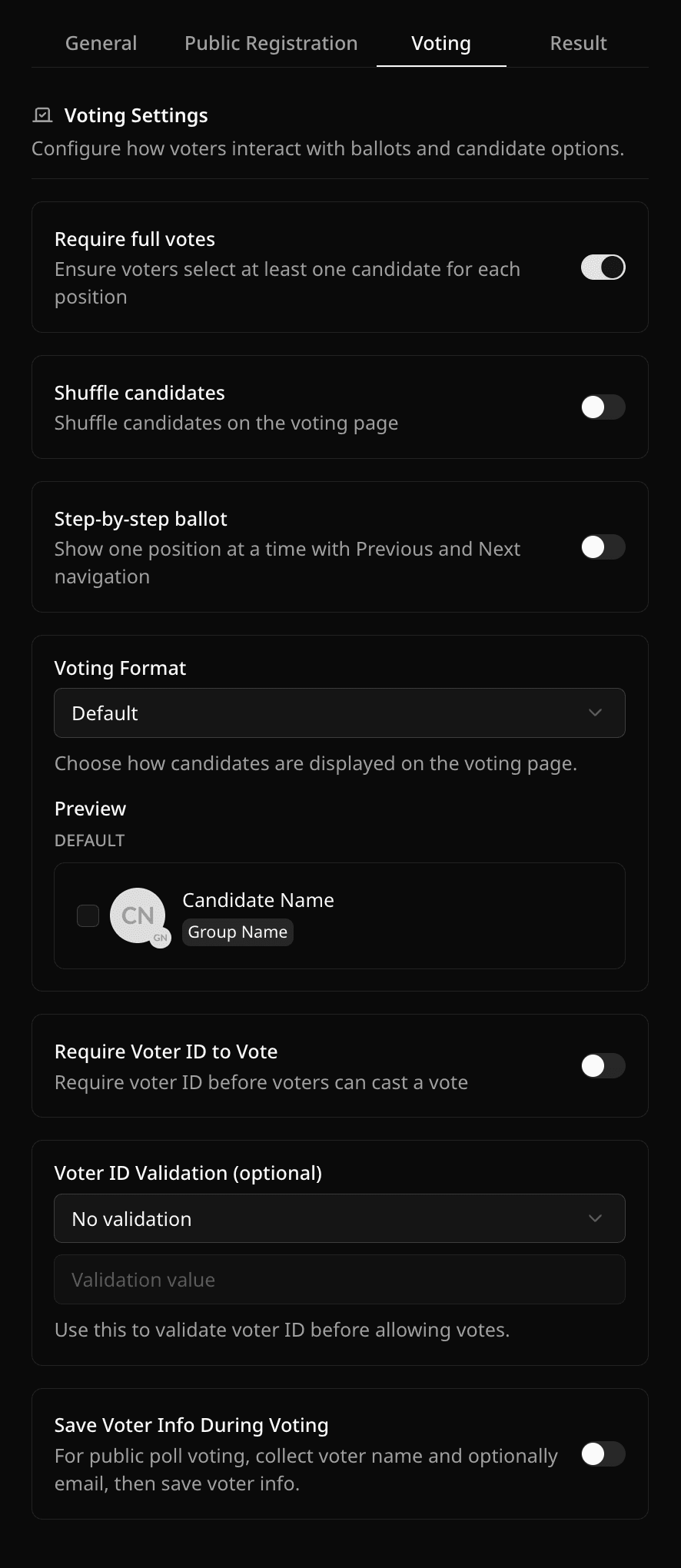
- In Voting Event Settings → Voting, decide what to ask voters for:
- Require Voter ID to Vote, with an optional rule the ID must match.
- Save Voter Info During Voting to collect a name and email. Each email can vote once.
- Limit to One Ballot per IP Address to also accept only one ballot per internet connection.
- Block Ballots from VPNs to refuse ballots that look like they come through a VPN.
- Optional: turn on Enable Pay to Vote to charge for ballots. See Pay to Vote.
- Copy the Public Cast Votes Link from Share Links and test it in a private window.
What a poll can and cannot do
- Pepvote stops the same browser from voting twice, but a poll cannot verify identity the way an election does. Use a Voter ID rule if you need more control.
- A person with two browsers can still submit two ballots. Turn on Limit to One Ballot per IP Address to stop that. The limit applies to the whole connection, so people who share home Wi-Fi, an office, a campus, or some mobile networks can submit only one ballot between them. Each ballot still covers every position on it. A VPN or a switch to mobile data can still get around it.
- A VPN can get around the IP address limit by giving the voter a new connection. Turn on Block Ballots from VPNs to refuse those. Pepvote checks the connection against a weekly-updated list of known VPN and Tor addresses. Some smaller VPNs are not on the list. iCloud Private Relay is allowed.
- With the IP address limit or the VPN block on, votes through the Pepvote API are refused, because Pepvote has to see each voter's own connection.
- Polls do not have voter self-registration. Candidate self-registration works.
- Weighted voting is only available when Pay to Vote is on.
- On a Custom plan, you can require voters to be at a voting center.
Related help
Was this helpful?
Last updated October 26, 2026